
Collating
Menti Boards
Menti boards can be used alongside teams to gather comments on questions, associated with presentations in a virtual meeting (e.g. Teams). This is regularly used by the Improvement Service.
Miro Boards
Miro is a team visual and digital workspace to connect, collaborate, and create together. It’s free to use for as long as you like, with some features.
- Miro Lite – No sign up required. Boards expire after 24 hours.
- Miro – Advanced collaboration tools. No time limits. Free forever.
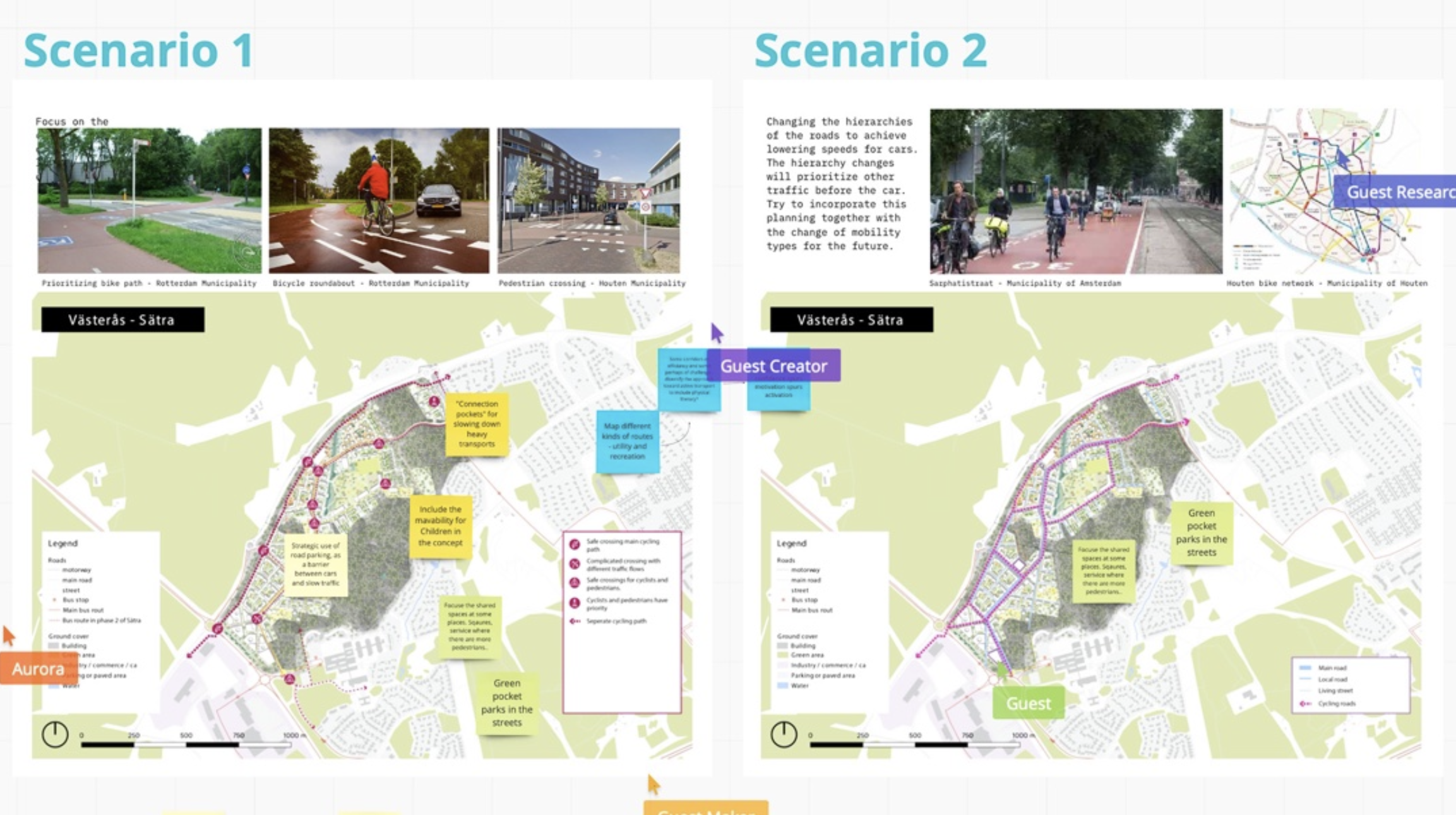
The below case study was undertaken through a digital workshop, using Miro to establish ideas on new mobility solutions for integrated city planning in Sweden. the participants could comment on each other’s plans with digital post-its.
Slido
Slido is another application that can be used to make virtual meetings interactive. Some of the uses of Slido are outlined below:
- Live and interactive polls and quizzes;
- Audience Q&A;
- Analytics following a meeting;
- Digital team brainstorming.
Microsoft Forms
(www.microsoft.com/en-gb/microsoft-365/online-surveys-polls-quizzes)
Microsoft Forms is part of the Office 365 suite and can be used to capture information through surveys polls and quizzes. Microsoft forms is user friendly and does not require advanced technical skills in creating surveys, polls and quizzes. The forms can be customised to the needs of the user and there are built-in analytics and reporting. As a standalone function, Microsoft Forms has a number of uses that could assist in webinars, virtual meetings and consultation exercises.
Microsoft Whiteboard
(https://www.microsoft.com/en-gb/microsoft-365/microsoft-whiteboard/digital-whiteboard-app)
Links to training on 'Collating'
 View related development training resources